Is It Safe to Use an Instagram Downloader?

Most Instagram downloaders are safe — but a few are not. Here's what makes one trustworthy, the red flags to avoid, and where the legal line sits.
Step by step
- Use a no-login tool. Pick a downloader that works in your browser and never asks for your Instagram password — like SaveJet.
- Paste a public link. Copy a public post, reel, or story link and paste it in. No account, no app, no extension.
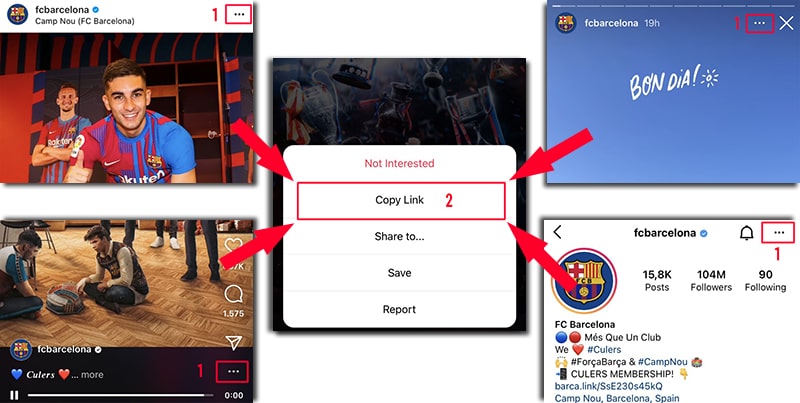
On Instagram, open the ⋯ menu (or share icon) and tap Copy Link — it works on posts, reels, stories, and profiles. - Download and you're done. Save the file to your device. Nothing is installed and nothing is tied to your Instagram account.
What makes an Instagram downloader safe?
Three things: it never asks for your Instagram login, it only touches public content, and it runs in the browser with nothing to install. A tool that meets all three has no access to your account and no way to plant malware. SaveJet is free, no-login, and install-free across every downloader and viewer.
Red flags to avoid
Walk away from any "downloader" that asks you to log in with your Instagram username and password, requires an app or browser extension to install, or floods you with redirect pop-ups. Those are the tools that get accounts hijacked. We compare the trustworthy options on our best Instagram downloaders roundup.
Is it legal to download Instagram content?
It depends on your jurisdiction and your use. Saving public content for personal use is widely tolerated, but copyright stays with the creator, and you are responsible for how you use the file: don't repost someone else's work as your own, respect copyright, and follow Instagram's Terms of Use. Saving your own content, or public content you have the right to use, is the safe path.